Pinterest Collage Usability Test Research
PROJECT OVERVIEW
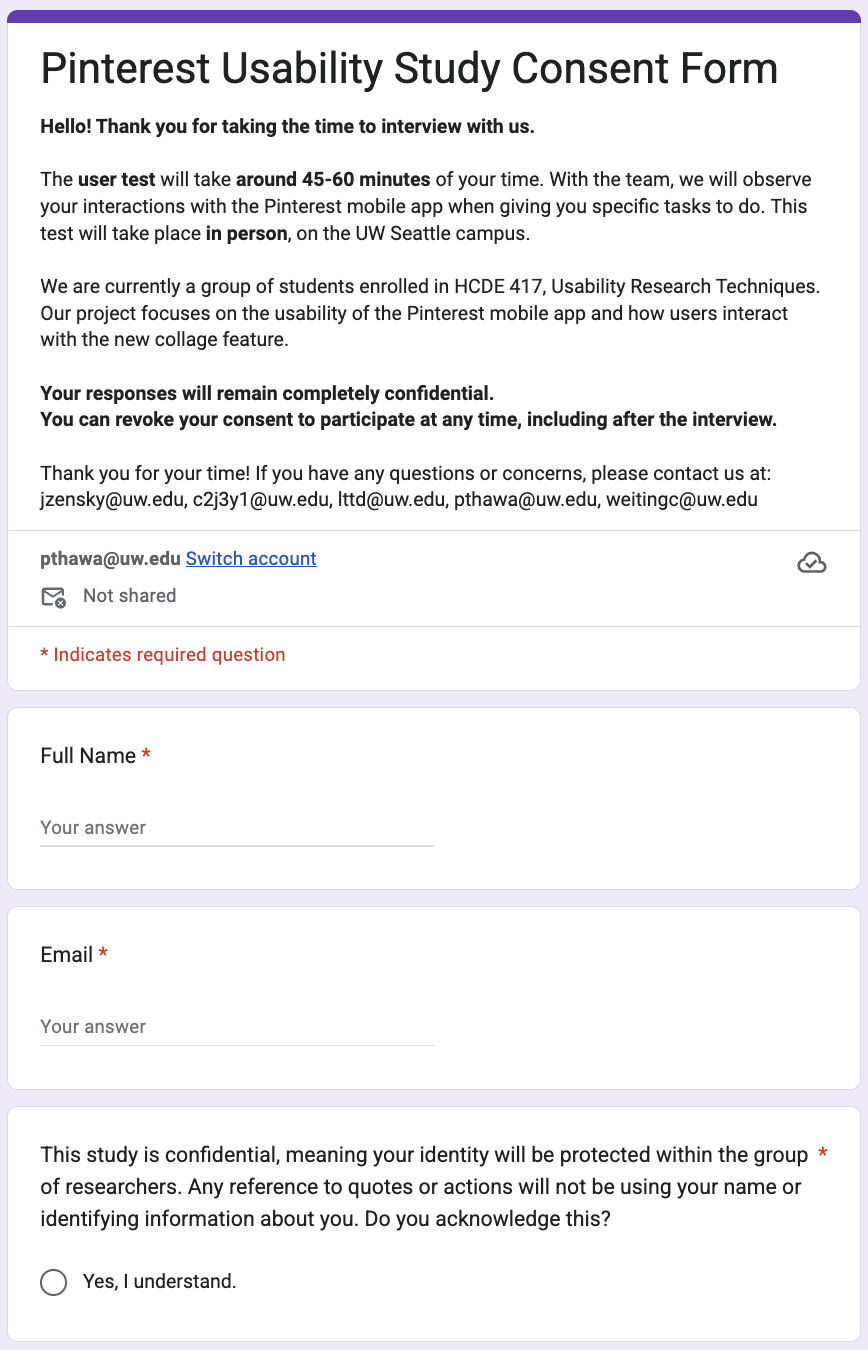
I collaborated in a group of five, we conducted 10 in person usability test interviews of Pinterest Collage. We first sent out a screener to find the target participants who used Pinterest at least once a month but haven’t use or rarely expose to Pinterest Collage. We then sent the email for them to schedule the time that they will be available for a 45-60 minutes interview and followed with consent form. Then we used ground method to analyzed data and receive insight findings and think of a better approach to make a smooth and seamless user experience.
GOAL
Since Pinterest Collage is newest feature from Pinterest, we would like to explore its learnability, discoverability, and …. And we aimed to learn if the mobile version of a new feature Pinterest Collage is intuitive to new users who had never used or used only once before.
METHOD
Recruit
Tools:

Step 1: Send out the screener survey

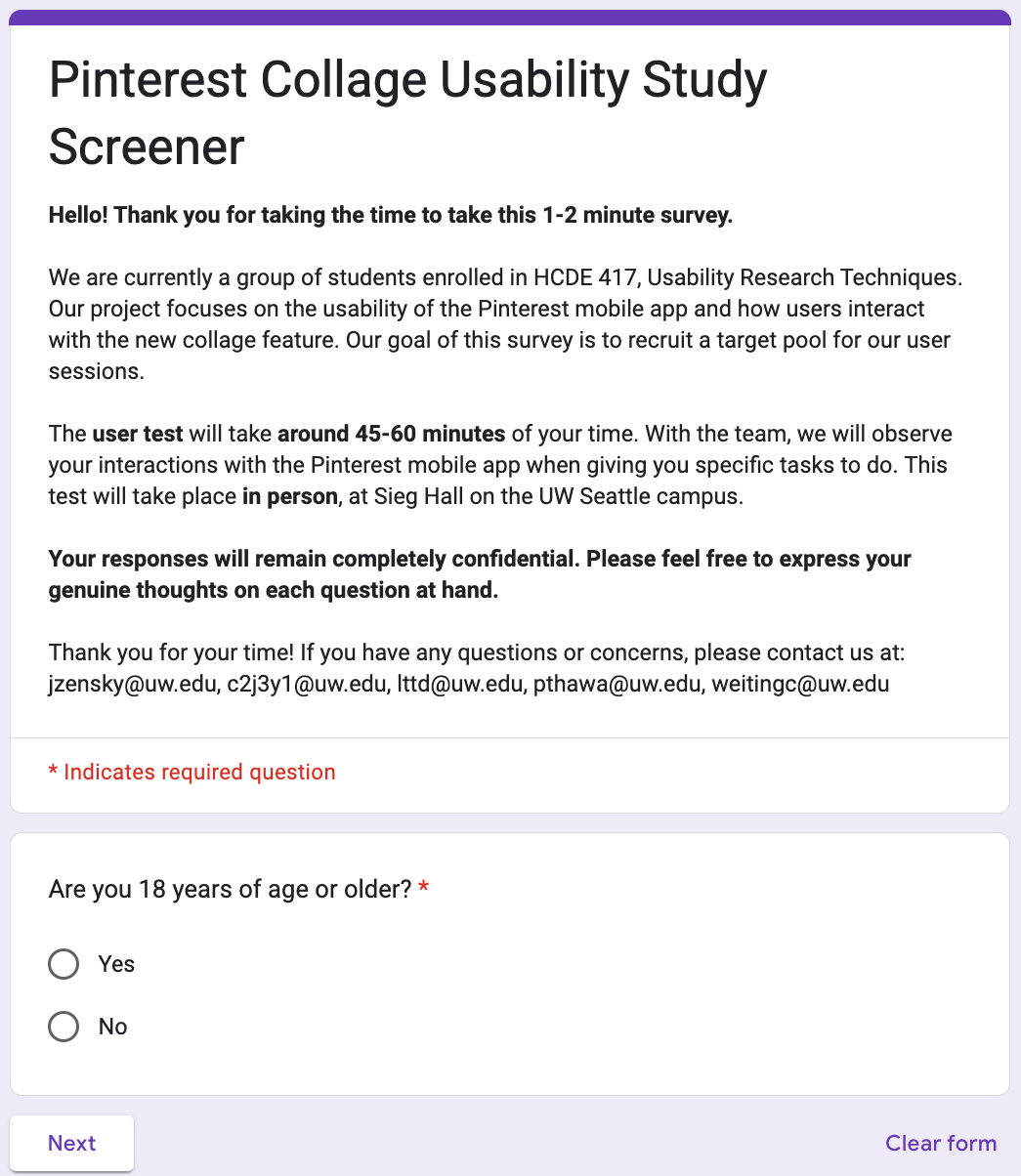
We set out to recruit participants who met the following criteria:
Aged 18 years or older: To ensure participants could provide informed consent in compliance with IRB regulations.
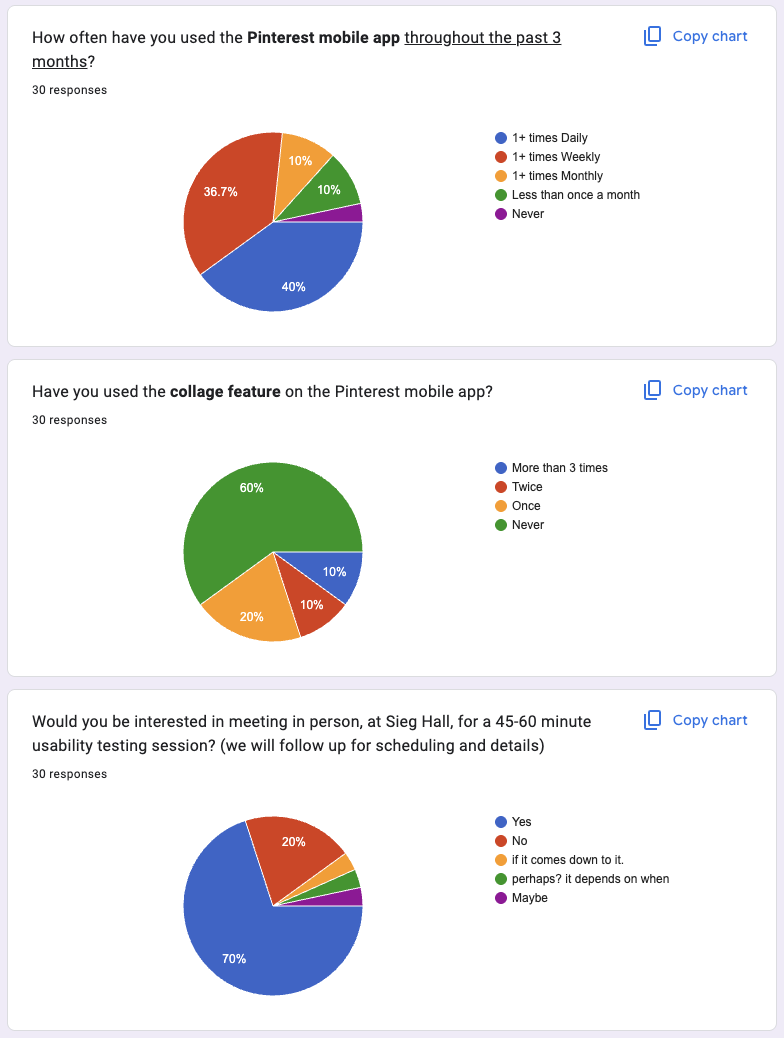
Uses Pinterest at least once per month (in the last 3 months): To scope our study to users familiar with the Pinterest platform, providing a consistent baseline for evaluating the collage feature's learnability, discoverability, usefulness, and effectiveness.
Has never used the Pinterest collage feature, or has used it only once: To focus our investigation on the initial learnability, discovery, and efficiency of the tool for new or inexperienced users.
Interview
Tools:


Step 1: Collaborated on Tasks and interview questions and interview scripts
Task 1: Creating a New Collage
Participants were asked to create a new collage from the Pinterest homepage. This task addressed research question 1 by examining whether new Pinterest Collage users could notice the Collage feature and understand the placement and organization of the feature. The focus was on feature discoverability and initial intuitiveness.
Task 2: Customizing a Collage
Participants were asked to customize their collage using a full range of tools and actions, including: finding a pin of a cat, removing the background, adding the cutout to their collage, using the camera tool to take a photo of their hand, rearranging images, adding text, adjusting color and font, and applying animated text. Combining these steps allowed us to assess learnability, efficiency, and effectiveness for first-time users of the Collage feature. This task also provided insight into users’ thought processes as they interacted with tool layouts, discovered features, and attempted to complete their task. Additionally, Task 2 helped answer research questions 2 and 3 by showing what tools users expect, which features they struggle to locate, and which actions they find intuitive or difficult.
Task 3: Deleting a Collage
In this task, participants were asked to publish their collage as a pin and then delete it. This task addressed research question 4, which focused on the efficiency of deleting a collage. Observing where participants navigated and how long it took them to locate the delete option allowed us to determine whether the deletion flow was intuitive and to identify the method participants used when attempting to delete a collage.
Analyze
Tools:

Step 1: Code the feedback from participants
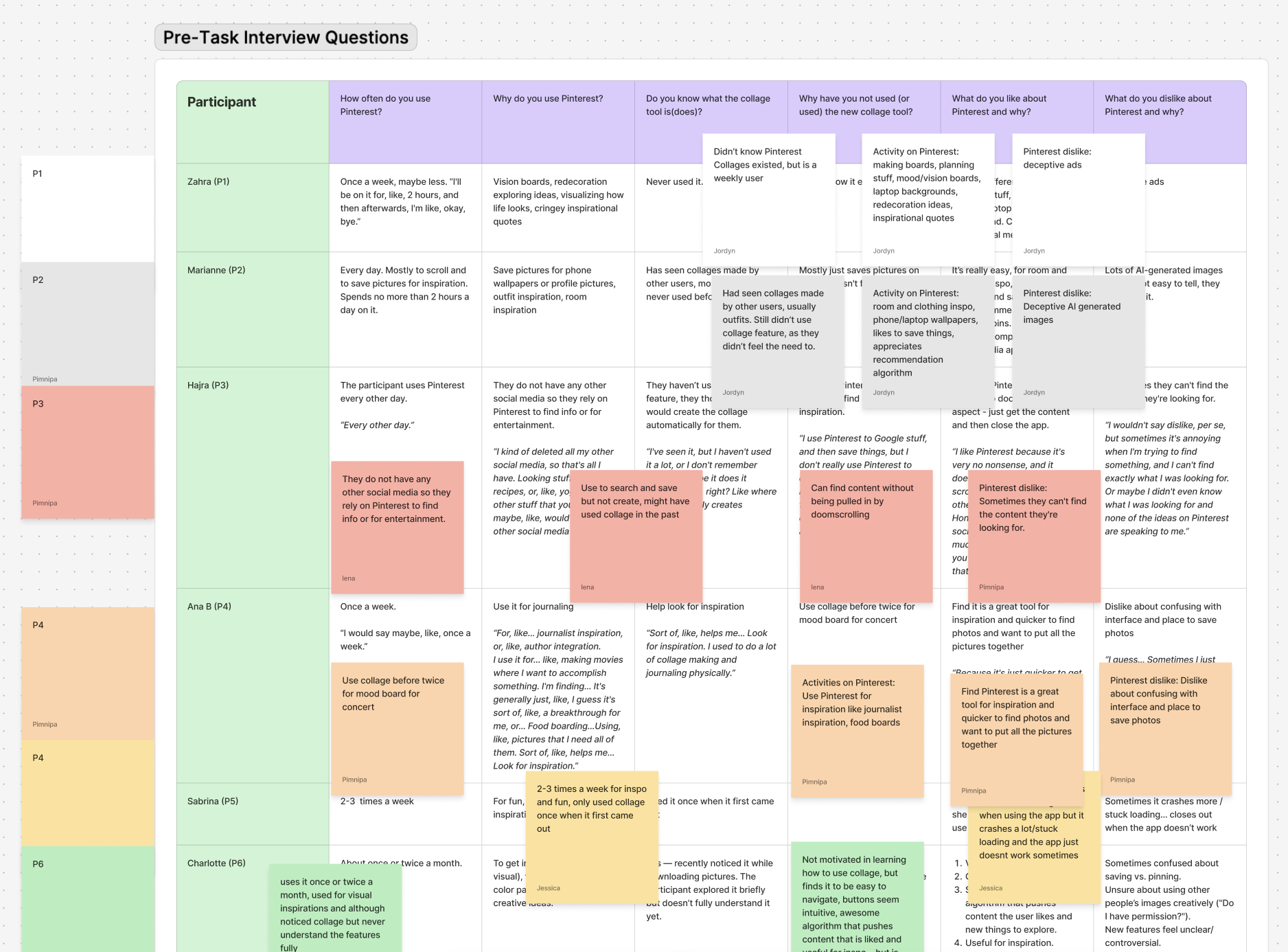
My teammates and I looked over our interviews notes and transcript then extract the key points mentioning by participants.
Step 2: Grouping similar codes from multiple participants to create the overall theme
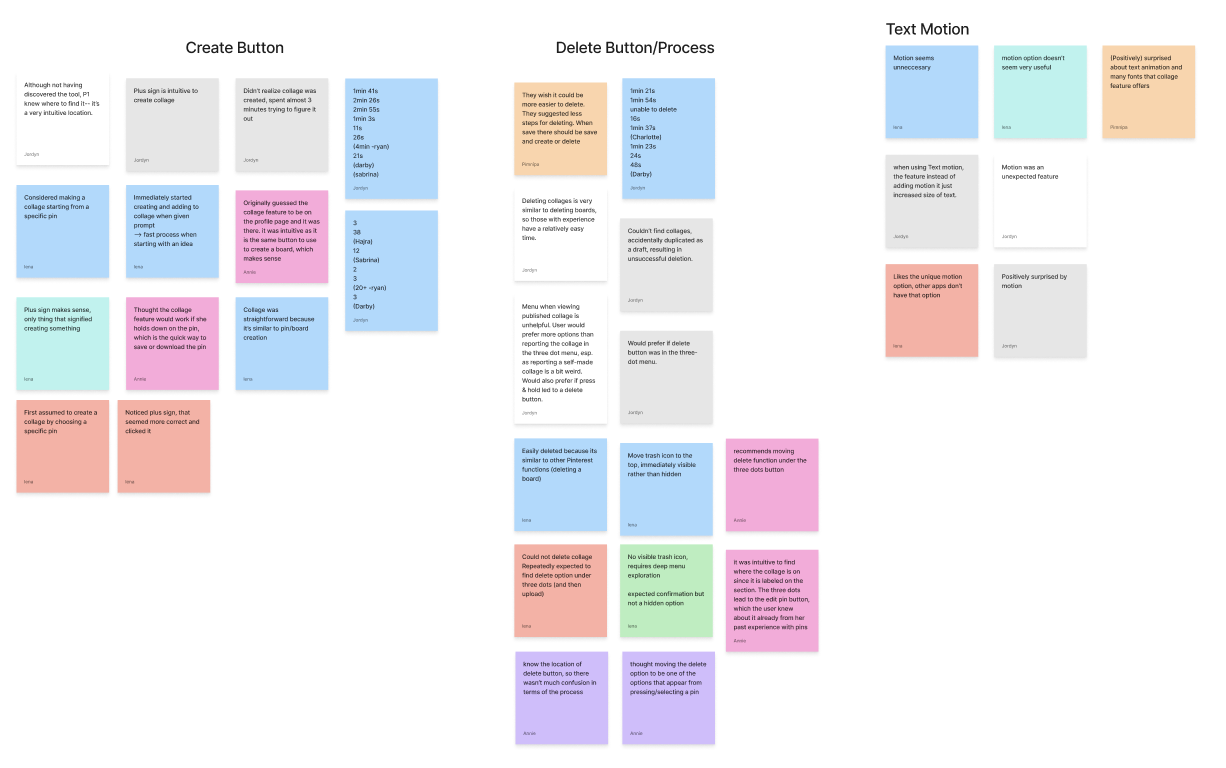
We recorded through Zoom to get the transcript. To analyze the data, we used ground method to analyze our data where first we created a table to show overall what each participants say then we group the similar theme together.
(Picture of table and Miro sticky notes)
Our final cohort consisted of 10 participants. They aligned closely with our target profile: all were University of Washington students over the age of 18 who reported using Pinterest more than once per week but had little to no experience with the collage feature. While our screener received 31 responses, 10 individuals completed all follow-up steps—scheduling a slot, completing the consent form, and attending the interview.
Step 2: Send out the reminder email with the consent form before the interview day
Key Findings
Design Change
The Echo Project →
What I learned
Recommended“Their attention to detail and commitment to quality truly stood out. We’ve already recommended them to others.”
– Former Customer
Get In Touch
If you're interested in working with us, complete the form with a few details about your project. We'll review your message and get back to you within 48 hours.